AUDIO TO MIDI · FILE WORKFLOW
How to save and compare an audio to MIDI version.
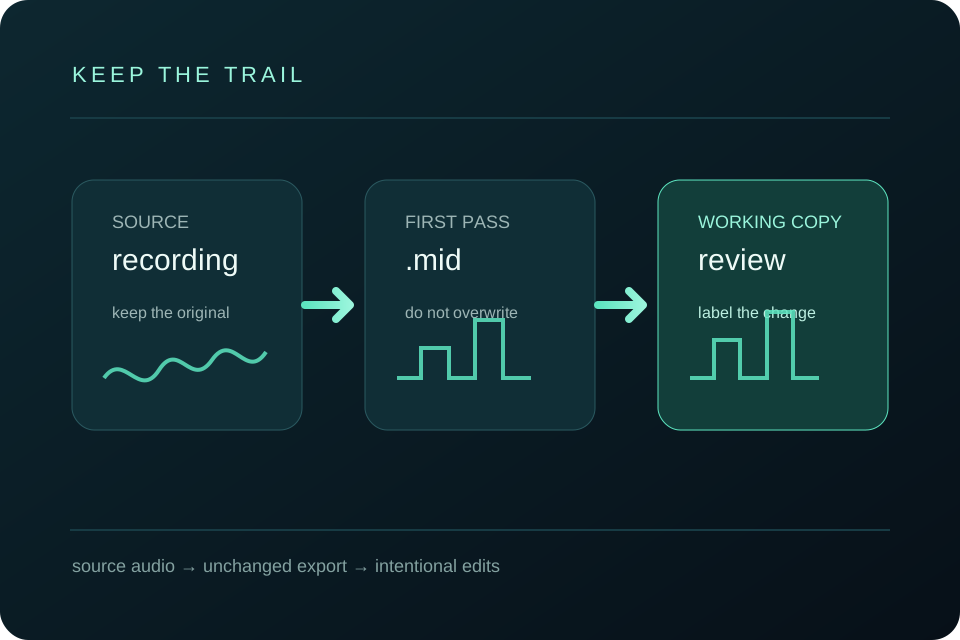
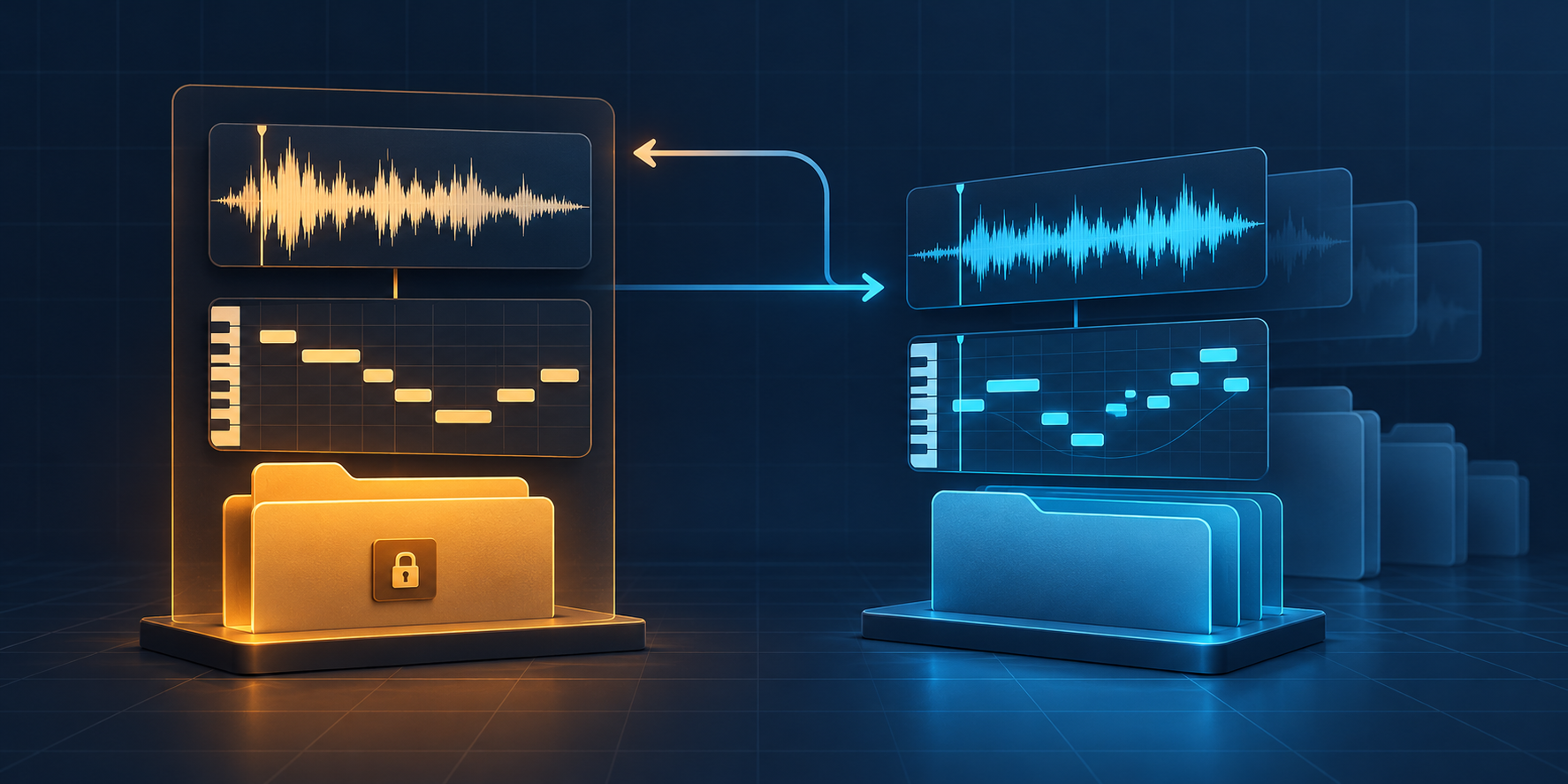
Keep the first .mid export unchanged: save it beside the source audio, make a clearly named working copy for edits, and compare every change with the original recording before you build an arrangement. This gives you a recoverable trail from the audio to the MIDI part you decide to keep.
Why keep more than one MIDI version?
An audio to MIDI conversion is a first pass at representing a recording as note events. The Standard MIDI File format is a structured, symbolic wrapper for MIDI sequence data, not a copy of the recording's waveform. The Library of Congress format description makes that distinction useful when you decide what to archive: keep the source audio as the listening reference and keep the MIDI files as editable results.
A later edit can improve a wrong pitch or a late note, but it can also hide what the converter produced at first. Saving a separate working copy lets you return to the untouched export, explain a change, or try a different edit without starting the transcription again.
What is the safest file trail?
- Keep the source audio. Put the original MP3 or WAV beside the MIDI project. Do not rename it in a way that loses the recording's identity.
- Save the first pass. Use a name such as
melody-first-pass.midimmediately after download. Treat this file as read-only evidence of the conversion. - Make a review copy. Open a copy named
melody-pitch-review.midormelody-timing-review.midand record the kind of change in the name. - Save an arrangement copy. Once the notes are checked, use a different name for the version that you transpose, re-orchestrate, or send to notation.
The names are a practical convention, not metadata supplied by the MIDI format. The important part is that a listener can tell which file is the untouched first pass and which file contains deliberate edits.
How do you keep a first-pass MIDI copy clean?
A clean first pass is the file you can still identify as the direct result of one conversion run. The Library of Congress description of Standard MIDI File treats MIDI as structured, symbolic sequence data, so the first pass is a record of the note events you received—not a second copy of the recording and not a claim that every note is already correct.
- Save the download beside the source before opening it in an editor.
- Give it a stage name such as
melody-first-pass.mid; do not call it “final.” - Duplicate the file for any pitch, timing, length, velocity, or arrangement change.
- Write the reason for the change in the working filename or project notes.
When you need to revisit a decision, compare the source, the clean first pass, and the working copy in that order. If the first pass has already been overwritten, you cannot tell whether a difference came from the browser conversion or from a later edit.
How do you compare an audio source with two MIDI versions?
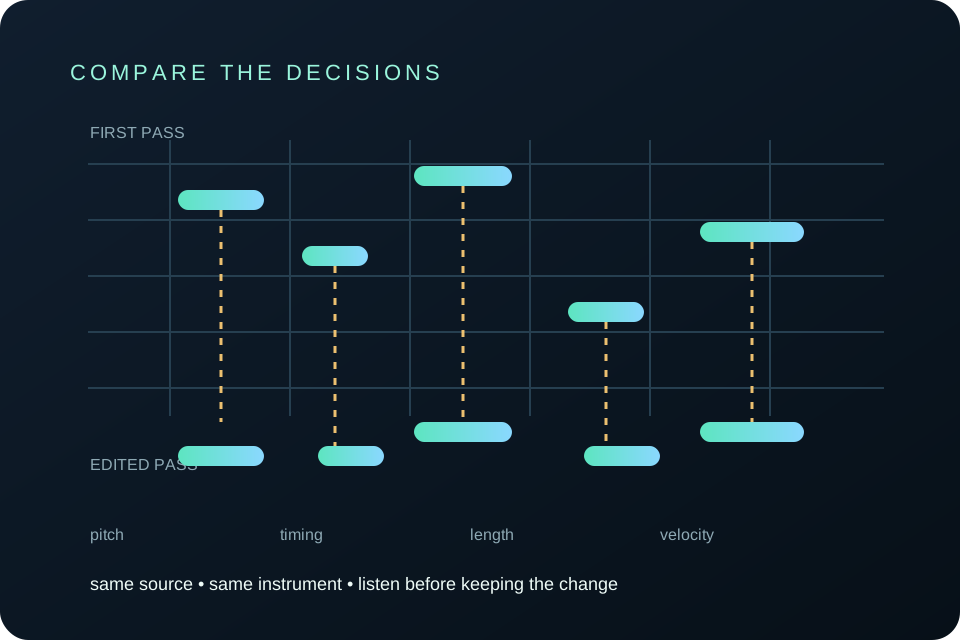
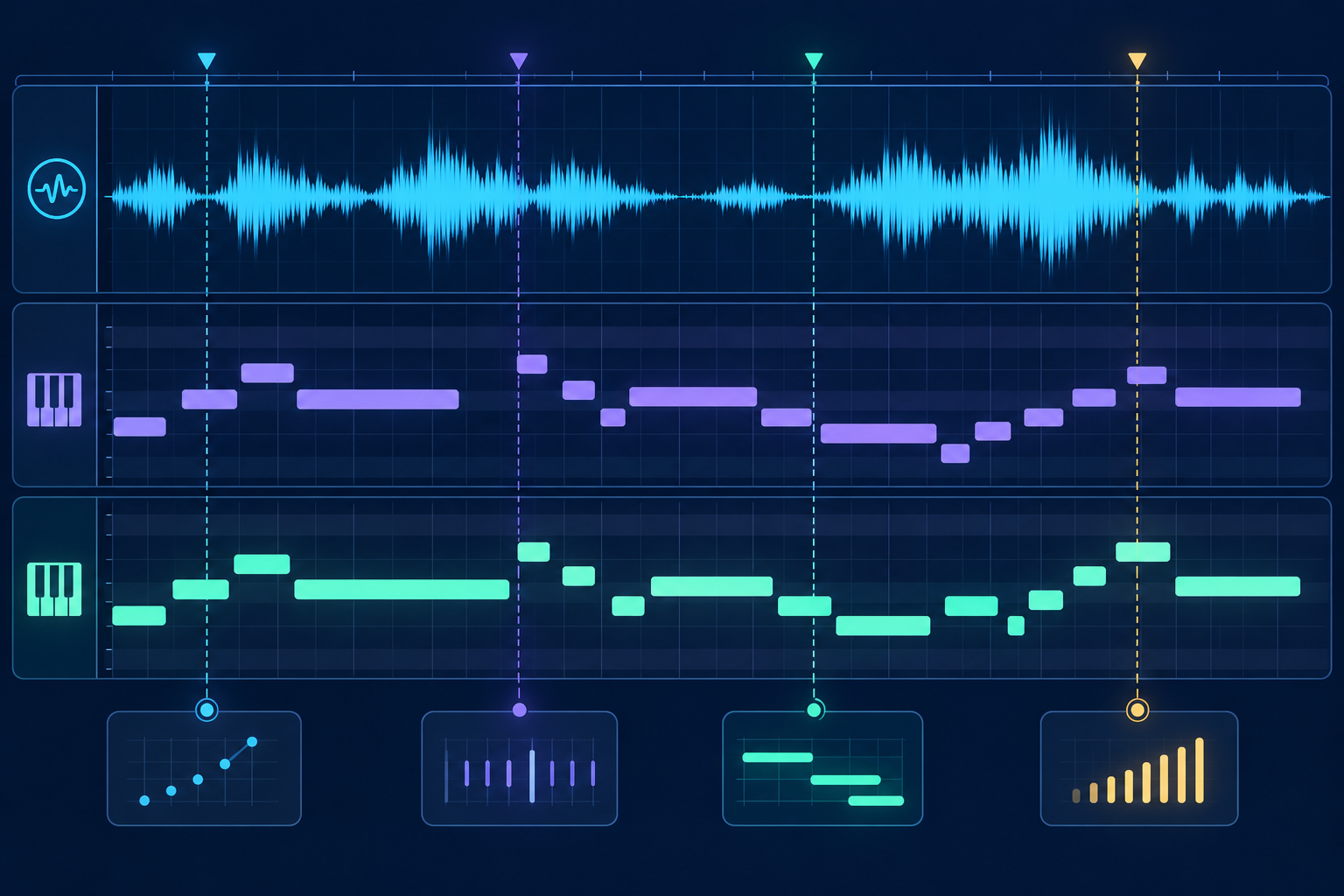
Keep the source audio beside the untouched first pass and the edited copy. Use the same short phrase, virtual instrument, tempo, and starting point for all three listens. Hear the source first, then the first pass, then the edited pass. Compare pitch, note starts, note releases, and velocity in that order. If a difference is intentional, leave a short note in your project or filename so the next pass does not look like an accidental change.
- Anchor the passage. Mark the same opening and ending in the source audio.
- Play version A. Treat the first MIDI export as the unchanged reference and note the first mismatch.
- Play version B. Listen for the one correction you intended instead of judging the whole file at once.
- Record the reason. Name the copy for the edit, such as
melody-timing-review.mid, and keep the source and first pass untouched.
The Ableton Live Reference Manual documents the editing controls behind this review: notes can be moved on the time and pitch axes, and velocity can be adjusted in its editor lane. The MIDI Association message summary separately describes Note On as a note start and Note Off as a note release, each with a key number and velocity. Those references support a structured comparison, but they do not decide whether a change matches the original recording.
What should a version name preserve?
Preserve the input identity, the stage of the work, and the reason for the change. A short stem such as melody can become melody-first-pass.mid, then melody-pitch-review.mid or melody-timing-review.mid. Do not make the filename claim that a version is “accurate”; make it explain what you changed or what you are testing.
In the current browser implementation, the selected file is read locally, converted into a MIDI Blob, and offered for download with the selected filename's stem plus .mid. That is a code-level observation about this version of the site, not a guarantee about every MIDI editor. Rename or copy the download after it is saved so the untouched first pass remains easy to identify.
Which changes deserve their own copy?
Save a new copy when you change the pitch of a note, move a note in time, alter its length, change its velocity, transpose a phrase, remove an artifact, or change the instrument and arrangement. Small corrections can stay in one review copy when they belong to the same listening pass. A new named copy is useful when you want to compare the result with an earlier decision.
Do not use a cleaner-looking piano roll as the only test. A note can line up on the grid and still disagree with the source's pitch or release. Play the phrase, look at the event, and keep the file that preserves the musical reason for the edit.
Should you overwrite the first audio to MIDI export?
No. Keep the first export unchanged and edit a copy. The first pass is the reference that shows what the converter produced; the edited file is the version you are improving. If you later discover that a correction removed a useful note, you can reopen the first pass and make a different decision.
What should you do before sending a MIDI version onward?
Listen once with the source audio muted and once with it restored. Check the opening, the places where notes overlap, and the ending. Then open the file in the next tool that matches your goal: use MIDI to Sheet Music when you need notation, or use the audio to MIDI editing guide for a focused cleanup pass.
The MIDI Association's overview of MIDI is a useful reminder that MIDI describes musical performance data rather than recorded sound. That is why a new instrument or notation view can change the presentation without changing the original audio.
Can the browser keep my first pass private?
The Audio to MIDI tool on this site processes the selected audio in the visitor's browser and returns a standard .mid download. It does not upload the selected file. After downloading, the version trail described here is your own local file workflow: keep the source and MIDI copies together on your device and choose when to open them in other software.
What is the next useful version?
There is no universal final file. Keep the first pass, label the copy that fixes the notes, and label the copy that serves the next job. If the next job is readable notation, open MIDI to Sheet Music; if it is another conversion, return to Audio to MIDI with a different source.